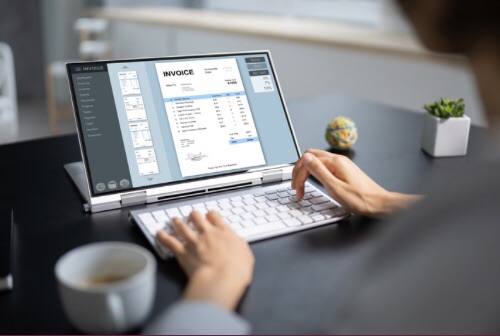
Invoicing is crucial for every business to collect payment and grow their revenue. Various software services are available for small business owners to send invoices to their customers or clients. However, some invoicing software is higher quality, safer, and more reliable than others.
How To Pick The Right Invoicing Software For Your Business
It’s essential that you choose the right invoicing software that will work well with your business and its needs. In addition, it should be affordable, easy to use, and mobile-friendly. You should consider the value of the cost; therefore, the higher the monthly fee, the more access you have to better features that can help you manage projects and track expenses.
Invoicing can be a time-consuming task for many business owners; therefore, you should choose invoice software that is simple to understand and is beneficial to your business by providing invoice accuracy, financial monitoring, and quicker payments.
Additional features you should consider when choosing an invoice software are:
- Unlimited invoicing, customers, and types of payment
- As a business owner, you can accept online payments through a proprietary payment processor or a third-party company.
- Depending on the services or products you sell, some invoicing software services allow you to accept payments in person.
- If your business is growing, consider invoice software with accounting features.
- Easily track when payments are due and received.
5 Best Invoicing Software To Use As A Small Business Owner To Optimize Collecting Payments
1. FreshBooks

Forbes and Business News Daily’s top choice for invoice software is FreshBooks. Many business owners choose FreshBooks because its features cover everything they need to collect payments and track overdue invoices, are intuitive, and get effective results.
You can try FreshBooks for a 30-day free trial. No credit card is required, and you can cancel at any time. FreshBooks offers clear, professional invoicing that shows the cost of the work completed and can be sent quickly. Another feature is automated payment reminders to tell customers their payments are due.
The invoice software system that FreshBooks offers is for any business, including self-employed professionals, freelancers, businesses with contractors, and businesses with employees.
Some additional features FreshBooks offers are:
- Automated payment options—Automated recurring billing allows customers to pay how they prefer, so you, as the business owner, get paid faster.
- Take receipt photos, email receipts to your account, and import expenses from your bank account, which organizes your expenses and is helpful when it’s time to pay your taxes.
- Time tracker – Automatically add the work to an invoice.
- Ability to collaborate and share files as well as updates in one portal.
- Business reports
- Mobile friendly – There’s a FreshBooks app available to download.
- Easy interface
FreshBooks price plans and pricing
Lite – $5.70 monthly or $152.00 yearly – Includes :
- Unlimited invoices for up to 5 customers
- Send and track unlimited expenses
- Receive payment with credit cards and bank transfers (ACH)
- Run reports for tax time
Plus Plan – $9.90 monthly or $264.00 yearly – Includes everything in the Lite plan but more, such as:
- Send unlimited invoices to up to 50 customers
- Send unlimited estimates and proposals
- Automatically capture receipt data
- Run financial and accounting reports
Premium – $78.00 monthly or $480.00 yearly – Includes everything in the Lite and Plus Plan but has additional features such as:
- Send unlimited invoices to an unlimited amount of customers
- Track project profitability
- Customize email templates with dynamic fields
FreshBooks enables you to talk to a specialist and develop a plan that has added features, such as access to lower credit card transaction fees and capped bank transfer(ACH) fees.
2. Square Invoices

Square Invoices is a software service offering fast, professional invoices with many impressive features. The free plan alone has many features that every business owner needs for a successful business.
The top features Square Invoices offers are:
- Automatic payment reminders
- Save credit information securely
- No monthly fees on the basic plan
- Able to add attachments and receipts
- Ability to customize the invoice’s appearance
- Accept payments online
- Track invoices and payment status
Square Invoices Pricing Plans
Free Plan
- Unlimited invoices, estimates, contacts, customers, and users
- Access from anywhere on the Square Invoices app
- Ability to send email. SMS, or manually share a link
- Accept payments 24/7
Free Plan Processing Rates
- 3.3% + 30 cents (online card payment)
- 3% with a minimum fee of $1.00 (online ACH payment)
- 2.6% + 10 cents (in-person payment)
Plus, a 30-day free trial is available and is $20.00 monthly, ideal for a growing business that needs to streamline its workflow and advance its billing needs.
Features include everything in the Free Plan and more, such as:
- Automatically convert estimates to invoices
- Create and reuse custom invoice templates
- Add custom fields to any invoice
- Organize files into a project workspace
- Select custom invoice layouts
- Edit invoice and estimate field names
Plus Plan Processing Fees
- 2.9% + 30 cents (online card payment)
- 2.6% + 10 cents (in-person card payment)
- 1% with a maximum fee of $10.00 (online ACH payment)
3. QuickBooks
QuickBooks is known as the # 1 accounting software that many small businesses use. However, QuickBooks also has invoice software with features that can optimize getting paid and tracking payments faster.
In addition, QuickBooks invoicing helps you to manage invoices and payments in one user interface. Key features include:
- Personalize an invoice template and customize it for your business.
- Add your business’s logo and colors to create a custom-made invoice quickly.
- Add billable hours automatically to invoices with QuickBooks Time and Google Calendar.
- Real-time invoice tracking
- Send customers an invoice that allows them to pay online. Therefore, you get paid faster.
Quickbooks Plans And Pricing
Simple Start – $15.00 monthly. Fundamental features include:
- Free guided setup
- Invoices and expenses
- Banking with 5.00% APY
- Invoice and payments
- Cashflow
- Receipt capture
- Estimates
- General reports
- Bookkeeping automation
- Access to expert assistance
Essentials – $30.00 monthly.
All features in the Simple Start plan are included.
Additional features are:
- Connect three sales channels
- Multiple currencies
- Include three users
- Bill management
- Enter time
Plus—$45.00 monthly. The Plus plan includes all the features included in the Simple Start and Essentials plans.
Extra features include:
- Includes five users
- Inventory
- Financial planning
- Project profitability
Advanced – $100.00 monthly. If your small business is growing to a mid-size company, this plan offers many features to help manage payments, employees, and business data.
Key features in the Advanced plan are:
- Data sync with Excel
- Employee expenses
- Batch invoices and expenses
- Workflow and expenses
- Data restoration
- Revenue recognition
4. Zoho Invoices

Zoho Invoices is an excellent option if you want affordable invoice software that customizes your invoices and provides ready-to-use templates. If you are starting a business or have a small business budget, Zoho invoices are ideal because they are 100% free.
It’s easy to use and secure. In addition, it has an app that is convenient for when you’re on the go. You can create professional invoices that enhance your business’s image, build trust, and motivate your customers to pay their invoices.
The top features Zoho invoices offer are:
- Choice from a gallery of attractive templates
- Ability to add your business logo and personalize invoices
- Track customer invoice status
- Automated payment reminder
- Multiple localized payment gateways
- Accept credit cards, ACH, cash, and checks
- Collect recurring payments automatically
- Quotes
- Time tracking
- Expense tracking
- Detailed reports
- Customer Portal
- Add multiple users and sign role-based
5. Xero
Xero delivers an invoicing software system with many features a small business needs to collect payment efficiently. You can try Xero for a free 30-day trial with no required credit card and cancel anytime.
Some essential features Xero invoicing offers are:
- Customize by adding your business logo to invoices
- Offer customers various ways to pay
- Send invoices through the Xero app
- Able to see if your customer has seen and paid their invoice
- Check to see if there are any unpaid invoices in the app
Xero Pricing And Plans
Early – $15.00 per month. Features include:
- Send quotes and 20 invoices
- Enter 5 bills
- Reconcile bank transfers
- Capture bills and receipts with HubDoc
- Short-time cash flow and business snapshot
- W-9 + 1099 management
- Sales tax
Growing—$42.00 per month. Everything in the Early plan is included in the Growing plan.
An additional feature is the option for payroll with Gusto.
Established – $15.60 per month. Everything in the Early and Growing plan is included. Additional features are:
- Multiple currencies
- Track projects
- Claim expenses
- Analytics plus
Conclusion
Any of the top five invoice software mentioned in this blog post is ideal for enhancing your small business. It’s essential that you shop around and choose the best software that fits your budget and has the features your business needs.
You should use the 30-day free trial to test the invoice software and determine whether it fits your business well.
The best invoice software system for you will help your business receive payments quickly, maintain good organization, and achieve optimal business success.
Disclaimer: None of the invoice software services mentioned in this post are sponsored or affiliated.
 The Finance and Business Operations Pathway